As an Amazon Associate, we earn from qualifying purchases. Some links on this site are affiliate links at no extra cost to you. Our recommendations are based on thorough research and editorial judgment.

How Are Smart Pens Used For Writing?

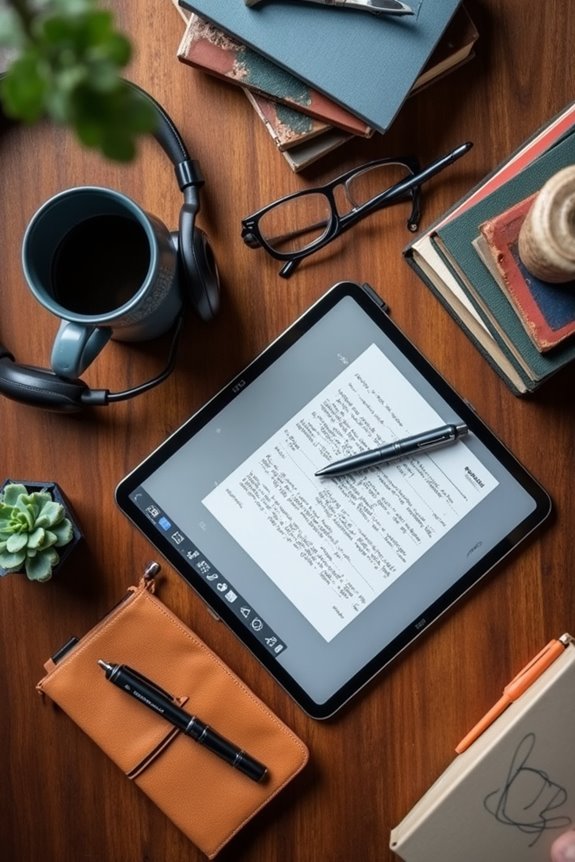
Smart pens are pretty cool tools that let us blend handwriting with digital tech. We can write on special surfaces, and these pens capture our strokes thanks to sensors and cameras. This means our notes can turn into editable text instantly. Plus, features like audio recording help us remember lectures better. Just remember, we need compatible devices and special notebooks. If you’re curious about their benefits and limitations, there’s more to uncover!
Key Takeaways
- Smart pens capture handwriting using advanced sensors and cameras, creating a digital representation of written strokes in real-time.
- They enable users to write on compatible surfaces with digital ink, allowing for immediate note-taking without needing electronic devices to be turned on.
- Pressure sensitivity features allow smart pens to replicate the nuances of traditional handwriting, making writing feel natural and intuitive.
- Handwritten notes can be converted into editable text, facilitating easier organization and storage of information.
- Smart pens support various applications in education and professional settings, enhancing workflows by allowing for annotations, audio recordings, and document markups.
How Smart Pens Capture Handwriting

You may be interested


As we explore how smart pens capture handwriting, it’s fascinating to realize that these nifty devices blend traditional writing with cutting-edge technology. These pens use advanced sensor technology, like triboelectric sensors, to track our pen strokes with incredible precision. They can detect not just where we write, but also the pressure we apply, which is essential for realistic handwriting recognition. Plus, specialized camera systems may record our movements in real time! The combination of pressure sensor arrays and accelerometers helps create a digital footprint of our writing style. So, whether we’re doodling in class or making notes in a meeting, smart pens can convert our analog strokes into editable digital formats, enhancing our learning and creativity without losing that personal touch.
Devices and Surfaces Compatible With Smart Pens
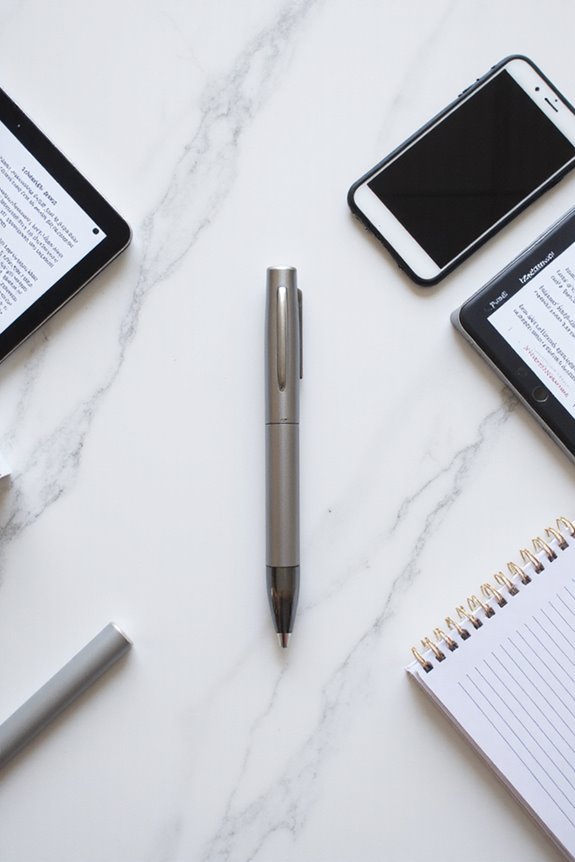
When we’re looking to get the most out of our smart pens, it’s essential to understand which devices and surfaces they play nicely with. Many smart pens, like the Surface Pen, require specific hardware support found in devices like Microsoft Surface tablets with active digitizers. This guarantees we get features like pressure sensitivity and tilt detection. While universal styluses work with generic devices, they can’t match the precision offered by smart pens on surfaces optimized with surface technology, such as Wacom tablets or compatible notepads with dot patterns. Before we invest, let’s always check device compatibility and make certain our smart pen will pair well with our chosen device for the best writing experience.
Recommended Products

【Compatibility】❌NOTE:Does NOT work with Surface Laptop Go Series,which belongs to a different series than Surface Laptop and Surface Go.❌NOT COMPATIBLE WITH:Surface Pro12/Surface Laptop Go/Laptop Go 2/ Laptop Go3/Laptop SE/ Surface Hub 2s/Surface Laptop 6/Surface Laptop 7;The F97 supports up to the MPP1.15 protocol and works with most Microsoft Surface devices.[Surface Model List]✔Surface Pro 4/Pro(5th Gen)/Pro 6/Pro 7/Pro 7+/Pro 8/Pro 9/Pro X/Pro 10/Pro 11, ✔Surface Book/Bk 2/Bk 3, ✔Surface Laptop/Laptop 2/Laptop 3/Laptop 4/Laptop 5,✔Surface Go/Go 2/Go 3/Go 4, ✔Surface Studio2/Studio2+;

【Fast Charge & Longer Standby, No Panic】Enjoy Metapen’s leading Type-C fast charging and extended battery life. The Stylus M1 takes only 40 minutes to fully charge, providing up to 300 hours of standby time. A quick 5-minute charge delivers up to 80 hours of use, outperforming most brands on Amazon. Perfect for students, business professionals, and creators who take notes and draw frequently

【2500-HOUR BATTERY - NO CHARGING ANXIETY】Forget daily charging. Our AAAA-powered stylus delivers 2500 working hours (~300 days) on a single battery. Perfect for long-haul flights, back-to-back meetings, and semester-long note-taking. Just insert and write—no pairing, no cables, no downtime.
Key Functions and Features for Writing

Smart pens pack a punch with features that enhance our writing experience, so let’s explore what makes them stand out. These nifty devices let us write with digital ink on compatible surfaces, giving us that familiar pen-on-paper feel for note taking. We can jot down ideas quickly, even with our screens off, without wasting time opening our devices. Plus, they often come with pressure sensitivity, capturing the nuances of our handwriting. With the ability to convert our scribbles into editable text, we’ll never lose an idea again. Instant annotation tools help us mark up PDFs or images effortlessly. Whether we’re collaborating or simply organizing our notes, smart pens make our writing life smoother and more efficient.
Recommended Products
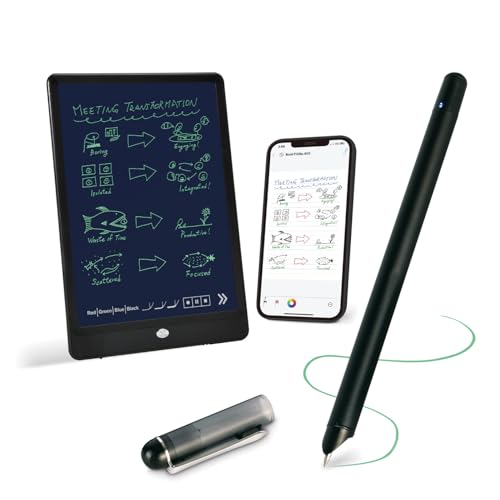
【Free APP-Ophaya Pro+】 Write naturally on the included writing board with the smart pen, and instantly sync every stroke, note, and drawing to your phone via the Ophaya Pro+ app. No delays, no missing details – just real-time precision.Compatible with iOS and Android smartphones.

THE WHIEST & BLACK E-INK TABLET - By removing the capacitive touch layer, Penstar eNote 2 paper tablet have Minimized the haze and refraction that typically dull e-ink displays. The text sits closer to the surface, delivering outstanding whiter whites, punchier blacks, and an overall cleaner, more transparent viewing experience. It reads like a finely printed book page, but clear even under sunlight.

【Important Note】 Before using the YUAN Smart Pen for the first time, fully charge it via USB. The first full charge may take several hours – we recommend charging it overnight. The handwriting of the smart notebook can not be erased! our smart notebook with the special code for the smart pen to recognize, so the Yuan smart pen only work with our Yuan smart notebook. Replacement smart notebooks and the refill of the smart pen are available in our store.
Applications in Education and Professional Settings

In today’s digital learning environment, we can greatly enhance our education and professional experiences with the right tools, like smart pens. These innovative devices aren’t just trendy; they offer smart pen benefits that make note-taking a breeze. Imagine having your handwritten notes instantly digitized for easy storage and retrieval. We can use them to annotate e-textbooks or record lectures, creating interactive learning experiences. Plus, students with disabilities can benefit from audio playback features, which help with comprehension. In professional settings, smart pens can capture meeting notes and even streamline document signing. By integrating with educational technology, smart pens truly support collaboration and boost our productivity, both in school and at work. Let’s embrace this tech and elevate our learning!
Recommended Products
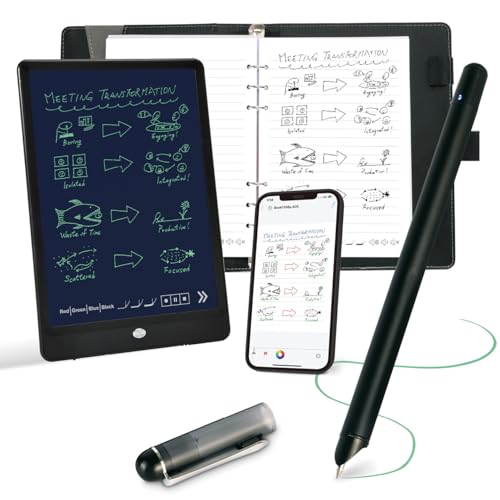
Instant Mobile Sync: This smart pen note-taking set, together with the companion Ophaya Pro+ app, connects to your smartphone via Bluetooth-offering a seamless bridge between the tactile pleasure of traditional handwriting and the convenience of digital productivity. Write naturally on real paper, and watch your strokes instantly transmit to the app in real time, creating an exact digital copy without any cables or Wi-Fi. From the app, you can effortlessly save, share, and search your notes. The set works with iOS and Android phones and tablets. Please note: the app is not compatible with computers, and the smart pen requires Ophaya proprietary paper

Real-Time Digital Capture & Sync: Write naturally on paper while the free Ophaya Pro+ app (iOS/Android) instantly digitizes notes/drawings and syncs them across smartphone/iPad, ensuring no idea is lost

【Important Note】 Before using the YUAN Smart Pen for the first time, fully charge it via USB. The first full charge may take several hours – we recommend charging it overnight.
Advantages of Incorporating Smart Pens

While we might think of writing as a simple task, incorporating smart pens can transform the way we take notes and release our creativity. The smart pen benefits us by offering enhanced precision; its ergonomic design mimics a traditional pen, reducing hand fatigue during lengthy sessions. With features like pressure sensitivity and varied brush sizes, we can explore digital note taking in a way that feels natural and engaging.
Plus, smart pens seamlessly integrate functions like audio recording and document markup, allowing us to enhance our workflow. Imagine effortlessly switching between writing and presentation modes during a class! By embracing these innovative tools, we can make our notes more dynamic, keep our thoughts organized, and boost our productivity. Who wouldn’t want that? Additionally, digital writing platforms facilitate collaboration and streamline the writing process, making smart pens even more valuable in today’s educational environments.
Recommended Products
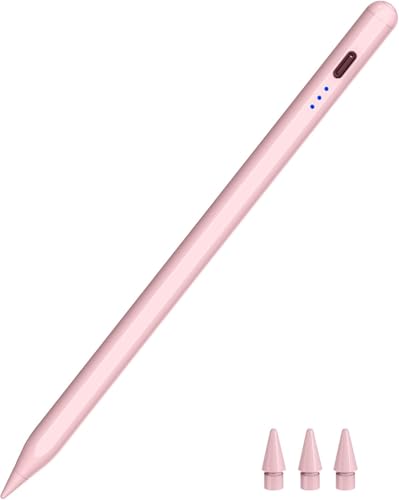
WIDE COMPATIBILITY –– The HATOKU pencil ipad is compatible with ipad 6/7/8/9/10/11 generation, Air M2/M3/3/4/5 generation, Mini (5/6/7 generation), pro 11" M4/M5/1/2/3/4 generation, 13" M4 M5 and 12.9"(3/4/5/6 generation). Please note: Not work for ipad pro 12.9" 1st/2nd gen, pro 10.5"/9.7", ipad 1/2/3/4/5 generation, mini 1/2/3/4 gen, air 1st/2nd gen and iPhone, Android, or other devices.

Write, Digitize, Erase, and Re-Write: Write notes on-the-go with the included pen, digitize effortlessly using the Rocketbook app, and store in your preferred cloud service. When done, simply wipe the pages clean with a damp cloth and start fresh.

Creative Paper Tool: Huion Note is an app-based paper product that consists of a digital pen, regular A5 notepad, and software application. It gives you digital copies of your handwritten work while still allowing the tactile aesthetic of pen to real paper.
Limitations to Consider When Using Smart Pens
Embracing the benefits of smart pens is great, but it’s also important to keep some limitations in mind. To begin with, there are cost implications; those proprietary notepads can add up, starting at about $8.95 each. We advise carrying a few trusty notebooks, as standard paper often doesn’t work. Comfort is another concern; some smart pens are bulkier than traditional ones, leading to hand fatigue during long writing sessions. Plus, we rely on batteries and connected devices for full functionality, introducing potential hiccups. Finally, managing audio recordings can raise privacy issues that we need to navigate carefully. In short, while smart pens are fantastic tools, we should know these limitations to maximize our writing experience!
Recommended Products
Record everything you write and hear so you'll never miss a word

SET OF 2 SMART CAHIER JOURNALS — LARGE, RULED: Includes two (2) Large Smart Cahier notebooks (5" x 8.25") with 72 ruled pages each, ideal for everyday work or study notes.

【2in1 Smartpen Writing Set】The Ophaya Smart Digital Notebook with Pen Set includes 1 digital smart pen, 1 dot-code digital notebook, 5 B5 paper sheets, 2 ink refills, 2 liquid refills, 1 USB recharging cable, and a user manual. Notepad featuring a locked button, which allows for up to 50,000 uses. Eliminating the need for paper waste and encouraging creative for you and your children. It is great for both home and office use.
Can Smart Pens Store Handwritten Notes Without Internet Access?
When it comes to note storage, we can rest easy knowing smart pens have excellent offline functionality. They seamlessly capture our handwritten notes without internet access, keeping our ideas safe until we reconnect and sync.
How Do Smart Pens Improve Handwriting Legibility?
Smart pen technology greatly boosts our handwriting clarity. By providing real-time feedback and digital transcription, we can better visualize letter formation, correct inconsistencies, and ultimately develop neater, more legible handwriting over time.
Are Smart Pens Suitable for Left-Handed Users?
While some may think smart pens aren’t for lefties, we understand they provide essential left-handed ergonomics. With innovative designs enhancing writing comfort, they transform our experience, letting us write clearly and without smudges.
Do Smart Pens Support Multiple Languages for Transcription?
Smart pens definitely support multiple languages for transcription, enhancing our communication. With various language support options, we can achieve impressive transcription accuracy, ensuring our notes are precise and accessible, regardless of the language used.
How Often Do Smart Pens Require Firmware Updates?
We’ve noticed that smart pens usually require firmware updates periodically, typically several months to yearly. Update notifications help us stay informed, ensuring our devices remain functional and up-to-date, preventing potential issues down the line.