As an Amazon Associate, we earn from qualifying purchases. Some links on this site are affiliate links at no extra cost to you. Our recommendations are based on thorough research and editorial judgment.


How To Organize Writing Notes Digitally?

To organize writing notes digitally, let’s start by creating a main project folder with subfolders for ideas, research, and drafts. Use clear naming conventions, like including dates and version numbers, to keep track of your notes. Don’t forget to tag important keywords for easy searching. We can also structure our notebooks by subject or project for better clarity. By following these tips, you’ll set yourself up for a more organized and efficient writing process that just gets better!
Key Takeaways
- Create a structured folder system with main project folders and subfolders for ideation, research, and drafts to enhance organization.
- Implement a consistent naming and tagging convention, incorporating dates and version control for easy retrieval and management of notes.
- Utilize digital tools like Nifty for real-time collaboration, centralizing all materials in one searchable project notebook.
- Schedule regular reviews and updates to maintain note relevance, archive outdated information, and streamline digital clutter.
- Adopt consistent note-taking techniques, organizing by project or topic to facilitate easy retrieval and enhance productivity.
Folders and Subfolders for Project Organization

You may be interested



When we set out to organize our writing notes digitally, one of the best places to start is with a solid system of folders and subfolders. Creating a structured folder hierarchy makes it easy to keep related notes organized. For instance, let’s create a main project folder, then subfolders for ideation, research, and drafts. Using project templates can streamline this process, allowing us to quickly set up new projects with designated folders tailored to our needs. We might even include meeting notes and reference materials in designated subfolders. This way, when it’s time to access information, we are aware exactly where to look. By keeping our notes structured and easily accessible, we’re setting ourselves up for smoother writing sessions ahead! Additionally, incorporating tools like organizational software can enhance our overall efficiency during the writing process.
Recommended Products

THE ULTIMATE PAPER TABLET – For the first time on a reMarkable paper tablet, you can write, sketch, and read in color. Ultra-slim and portable, but with a full-size 11.8” color display, adjustable reading light, and an unmatched paper-like writing experience.

Brings Handwriting Joy to The Digital Age: Smart digital note-taking with seamless sync on the writing tablet. Write naturally with XPPen Note Plus, and watch your lecture notes, meeting records, or anytime sketching idea appear instantly on your phone

【Important Note】 Before using the YUAN Smart Pen for the first time, fully charge it via USB. The first full charge may take several hours – we recommend charging it overnight. The handwriting of the smart notebook can not be erased! our smart notebook with the special code for the smart pen to recognize, so the Yuan smart pen only work with our Yuan smart notebook. Replacement smart notebooks and the refill of the smart pen are available in our store.
Effective Naming Conventions for Clarity

Incorporating dates in a standardized format helps with sorting, while version control, like v1 or v2, keeps track of note iterations efficiently. A naming convention guide can further enhance our organization and consistency, making it a breeze to retrieve notes later. Additionally, the practice of revision in writing ensures that our notes can evolve and improve over time, allowing for better retention of information. Let’s keep it simple, clear, and effective—making our lives easier!
Utilizing Tags and Keywords for Easy Access

For keyword optimization, let’s stick to relevant, descriptive tags, keeping consistency in mind to avoid chaos. Regularly reviewing and updating our tags guarantees they stay relevant. Plus, with software features like Smart Folders, we can swiftly find what we need. So, let’s tag away and make our digital notes work smarter, not harder! Additionally, having ergonomic writing aids can enhance productivity by minimizing fatigue during long writing sessions.
Recommended Products
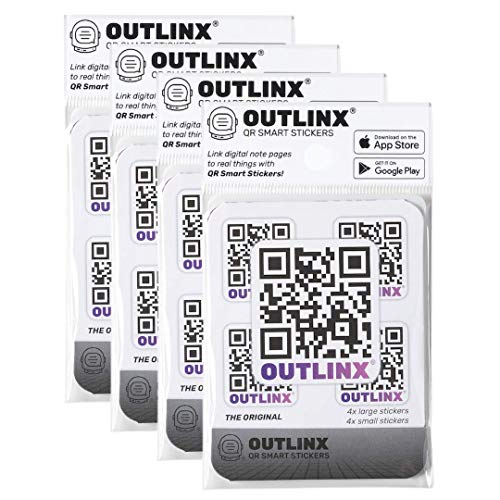

SMART TOTE LABELS: Looking for an easy way to organize your storage totes? Look no further than Organize-it stick-on intelligent labels! These innovative labels turn any tote into a smart tote, updating the way you manage and locate your belongings.
Structuring Notebooks by Subject or Project

As we explore the world of digital note organization, it’s essential to recognize the importance of structuring our notebooks by subject or project. By utilizing subject hierarchies, we can create stacks for main categories and notebooks for subtopics, ensuring our notes remain coherent and relevant. For example, if we have a science project, we might create a dedicated notebook to track project milestones, breaking it down into sections like research, experiments, and conclusions. Using a consistent naming convention helps us navigate efficiently across busy stacks and notebooks. Plus, keeping our notes synced across devices means we can access our information anytime, anywhere. This method not only organizes our thoughts but also enhances our productivity, making it a win-win! Incorporating tools like digital writing platforms can further streamline your note organization by facilitating real-time collaboration and feedback.
Creating a Table of Contents for Quick Navigation

Creating a table of contents (TOC) can drastically improve the way we navigate our digital notes, making it feel like we have a personal guide at our fingertips. By implementing a TOC, we enhance our interactive navigation, allowing us to jump between sections quickly and effortlessly. For instance, in Google Docs, we can easily generate a TOC based on our headings, ensuring content accessibility. Tools like Kindle Create or even basic HTML elements can also help us set up a TOC for eBooks or web pages. When our notes are structured with clear headings and a logical hierarchy, locating the information becomes a breeze, turning lengthy documents into easily digestible content. Additionally, incorporating a writing mentorship resource within our notes can provide additional context and support as we refine our ideas. So, let’s get started on streamlining our notes!
Leveraging Productivity Apps for Enhanced Organization
When we think about organizing our writing notes, leveraging productivity apps can be a game changer. For instance, Notion is an all-in-one workspace that not only houses our writing but also allows us to create custom note templates and project trackers. We can even collaborate in real-time with our peers, making it a hub for knowledge sharing. Additionally, integrating Zapier can automate our workflows, so those pesky tasks are handled effortlessly—imagine having notes automatically categorized as we write! Trello’s visual boards help us keep track of deadlines and project stages, using tags and due dates. By using these tools effectively, we’ll streamline our writing process and harness the full potential of digital annotations, boosting our productivity considerably. Moreover, incorporating structured exercises from writing workbooks into our notes can enhance skill development and creativity.
Recommended Products

Create, Digitize, Erase, Re-Create: Capture ideas with the included Pilot Frixion Pen, digitize effortlessly using the Rocketbook app, store in your preferred cloud service. When done, simply wipe the pages clean with a damp cloth and start fresh.

Write Naturally, Save Digitally – Enjoy the comfort of real pen and paper in the XNote Smart Notebook while every stroke is captured instantly and synced to the XNote app via Bluetooth. Ideal for students, professionals, and creatives.

Incorporating Visual Elements for Better Understanding
Incorporating visual elements into our writing notes can greatly enhance understanding and retention. By using visual metaphors and color coding, we can transform our notes into engaging and effective study tools. For instance, when jotting down complex concepts, we might create diagrams or use icons to represent key ideas, making them easier to remember. Color coding is especially helpful; we can assign specific colors for different themes or categories, which allows us to quickly identify important information. Additionally, putting things in hierarchical structures helps us see how ideas connect, like an organized map! So let’s get creative! By blending text with visuals, we make our notes not just more organized, but also more enjoyable to review and learn from.
Streamlining Collaboration and Sharing of Notes
Streamlining collaboration and sharing notes is essential for maximizing our productivity, especially in an age where teamwork often happens online. We can leverage collaboration tools like Microsoft Teams or Slack to make communication smoother. By integrating messaging and video conferencing into a single platform, we can tackle projects more efficiently. Setting up clear communication strategies guarantees we avoid misunderstandings and keep everyone on the same page. Tools like Project.co can help us track project status better, boosting our confidence in what we’re working on. Don’t forget to regularly update our shared notes and keep them accessible across devices. By being proactive and using these tools wisely, we’re making our teamwork more effective and less chaotic!
Importance of Regular Maintenance and Updates
To keep our digital notes effective and relevant, we need to prioritize regular maintenance and updates. Scheduling regular reviews helps us maintain note relevance by ensuring we only keep what’s useful. Cleaning up old notes is essential too—it’s like decluttering our desks to avoid information overload. We should regularly check for information accuracy, so our notes reflect the latest developments. Don’t forget to archive completed or irrelevant notes to keep our systems streamlined and productive. By categorizing notes effectively and managing tags, we’ll enhance accessibility and retrieval. Plus, using apps and cloud synchronization lets us access our notes anytime, anywhere. Let’s stay on top of our notes to boost our productivity and reduce stress!
Strategies for Reducing Digital Clutter and Stress
When we tackle digital clutter, we quickly realize that a little strategy can go a long way in reducing stress and maintaining organization. First, we should develop consistent note-taking techniques—like using folders and tags—to categorize our notes by project or topic. That way, we can find what we need without traversing a digital jungle. It’s also helpful to centralize our materials in one project notebook for easy access! Let’s not forget about using digital organization tools, like Nifty, which allow for real-time collaboration and keep everything searchable. Finally, regular note purging can help us trim the excess and maintain clarity. By implementing these strategies, we can boost productivity while keeping stress at bay!
What Are Some Recommended Apps for Digital Note-Taking?
We understand choosing the right note-taking app can feel overwhelming, but exploring various options helps. Evernote, Notion, and Microsoft OneNote offer unique features worth considering. Let’s explore these app comparisons and discover effective note-taking strategies!
How Can I Back up My Digital Notes?
To back up our digital notes, we should use cloud storage for easy access and note synchronization across devices. This way, we’ll guarantee our important information is safe and up-to-date, no matter where we are.
Is It Better to Use Online or Offline Note-Taking Tools?
We’ve found balancing online benefits with offline drawbacks similar to choosing between a bustling café and a quiet library. Each has its merits; online tools foster collaboration while offline offers privacy and fewer distractions.
How Do I Prevent Information Loss During Note-Sharing?
To prevent information loss during note sharing, we should establish note sharing protocols, utilize secure sharing methods, and guarantee regular backups. Implementing encryption and access control is essential to protecting our valuable data from unauthorized access.
Can I Integrate Other Tools With My Note-Taking App?
With AI integration projected to grow 16.5% in the coming years, we should explore app integrations with productivity tools. Connecting our note-taking apps can streamline workflows, enhance collaboration, and ultimately boost our efficiency.